
Customer Management
Viewing Customers in Netwise
Customer Details Page Overview
Understanding Customer Information
Viewing Customers in Netwise
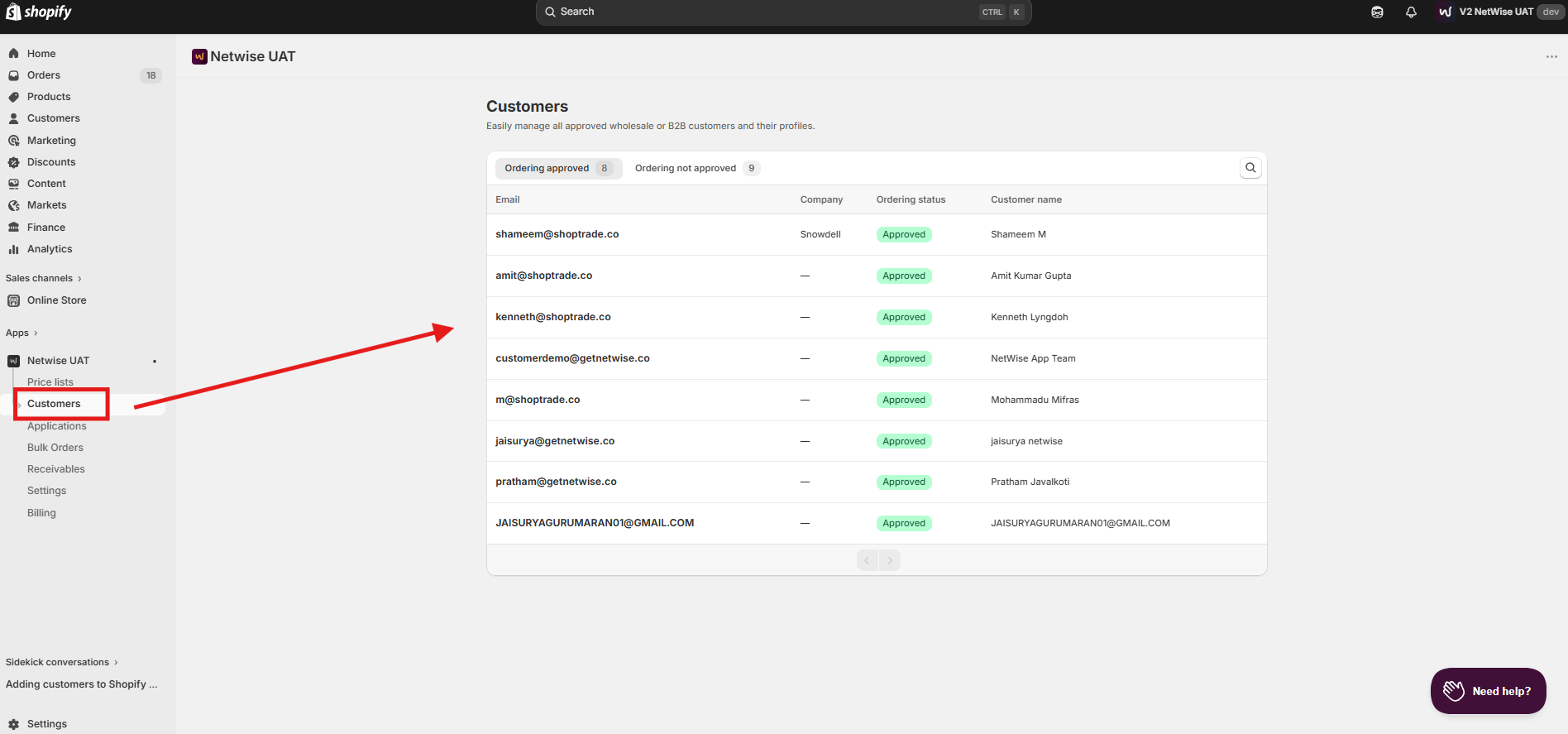
The Customers section gives you a full list of all B2B customers currently active in Netwise.
Key points:
Go to Customers in the Netwise left-side navigation.
You'll see a list of all customers synced from Shopify.
Each row shows the customer's name, email, and status at a glance.
Click any customer to open their full details page.
Customer Details Page Overview
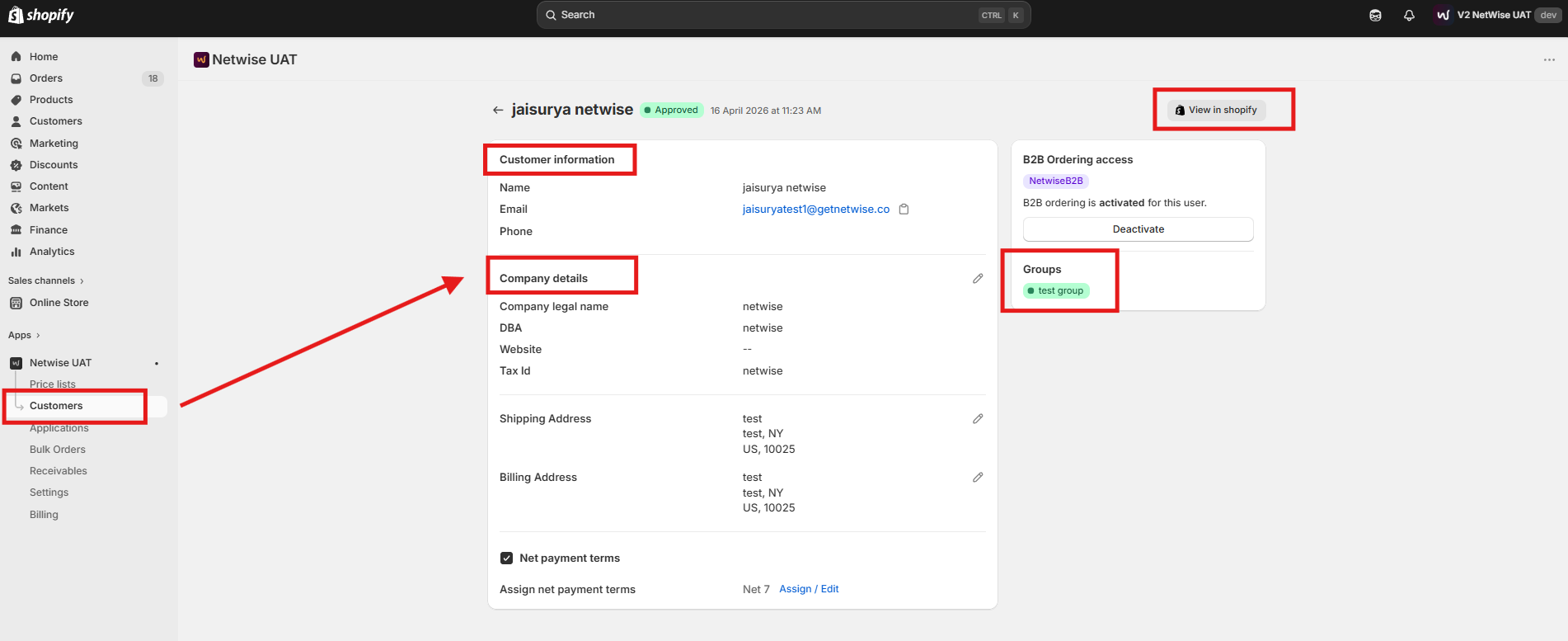
Each customer has a dedicated details page where you can view all relevant information and manage their settings.
Key points:
Access the details page by clicking any customer in the list.
The page shows the customer's personal info, assigned group, and current status.
You can reassign the customer to a different group from this page.
Any changes made here take effect immediately.
Understanding Customer Information
The customer details page displays all key information Netwise holds for that buyer.
Key points:
Name & Email — The customer's identity as synced from Shopify.
Customer Group — The group they're currently assigned to (determines their pricing).
Status — Whether the customer is active and eligible for B2B pricing.
Shopify Profile Link — A direct link to their Shopify customer record for reference.