

Application overview
What is the Applications Feature?
How the B2B Application Flow Works
What is the Applications Feature?
The Applications feature gives your store a built-in B2B onboarding form. Potential wholesale customers fill it out to request access — and you decide who gets approved.
Key points:
Provides a dedicated application form on your storefront for B2B buyers.
Customers submit their business details directly from your store.
You review each submission inside the Netwise dashboard.
Only merchants-approved customers are added to Netwise and given B2B pricing access.
No third-party tools or custom coding required.
Why it matters: Without this, there's no controlled way to onboard B2B customers. The application form ensures the right buyers get access — and no one slips through unreviewed.
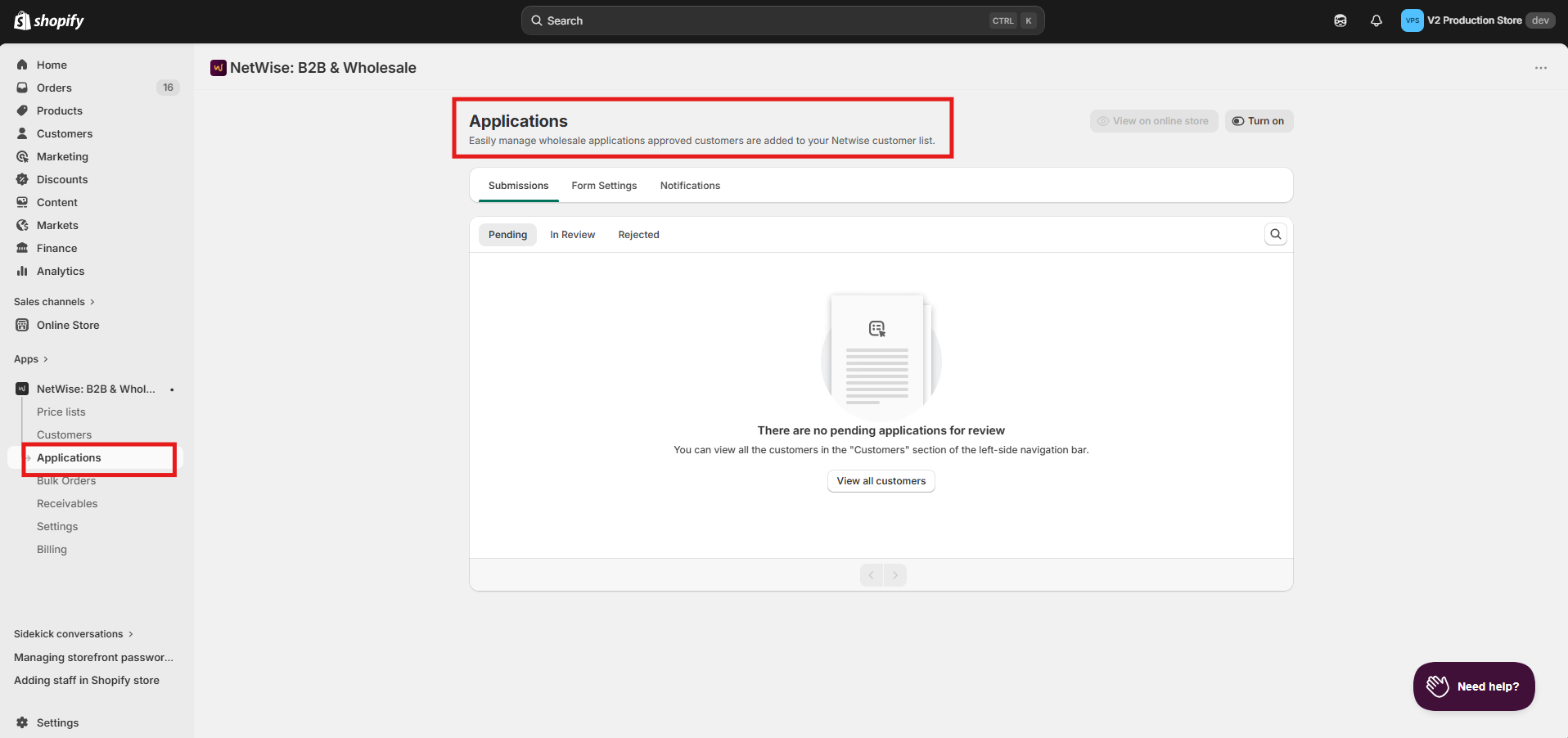
How the B2B Application Flow Works
The application flow takes a potential buyer from your storefront all the way to becoming an active B2B customer in Netwise.
The full flow:
Form Enabled → Customer Submits → Pending → Merchant Reviews → Approved or Rejected → Customer Created (if Approved)
Step by step:
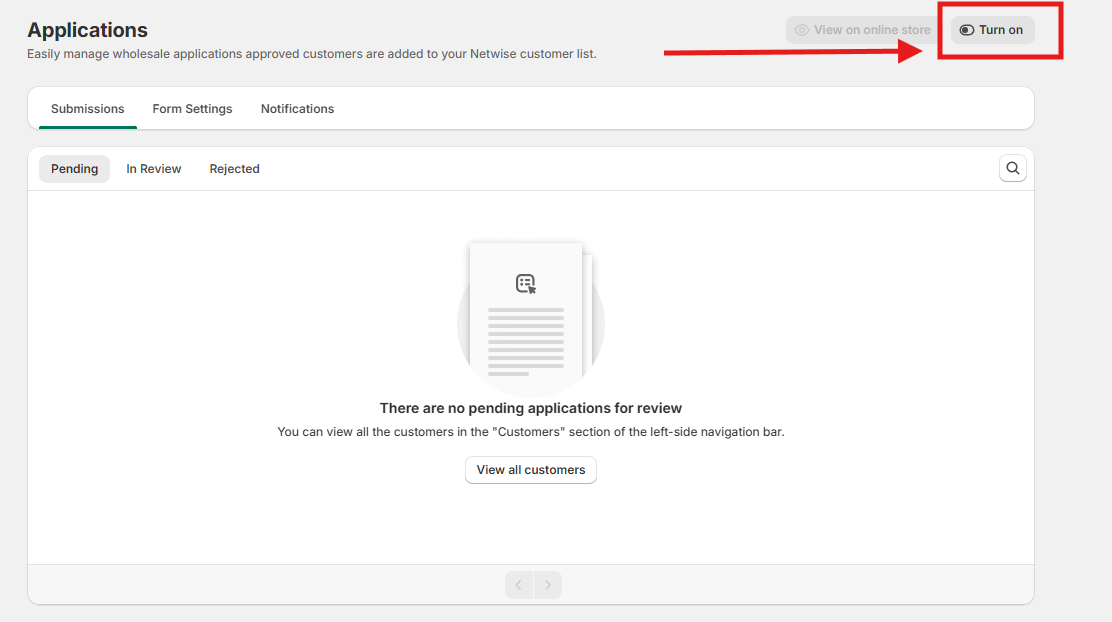
Merchant enables the application form in Netwise. (Click the toggle)
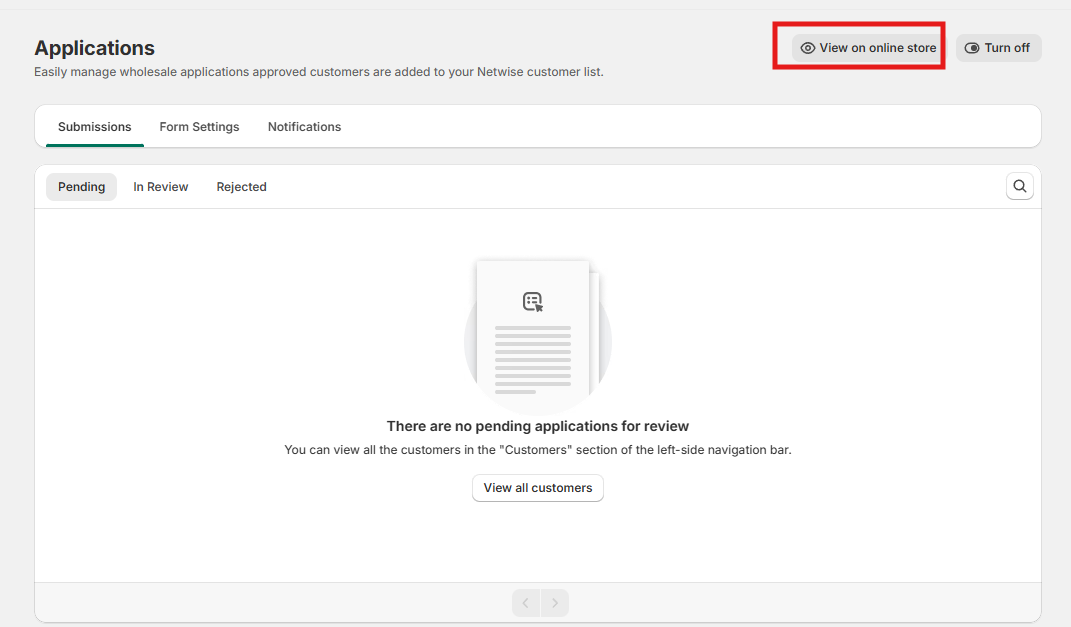
The View on online store cta is enabled.
Customer visits the storefront and fills out the application form.
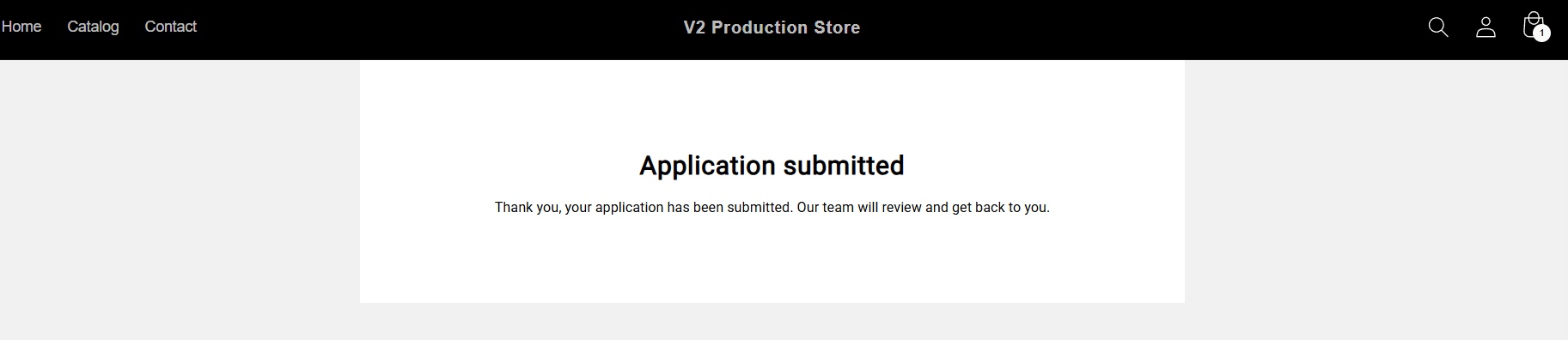
Application is submitted — it appears in Netwise as Pending.
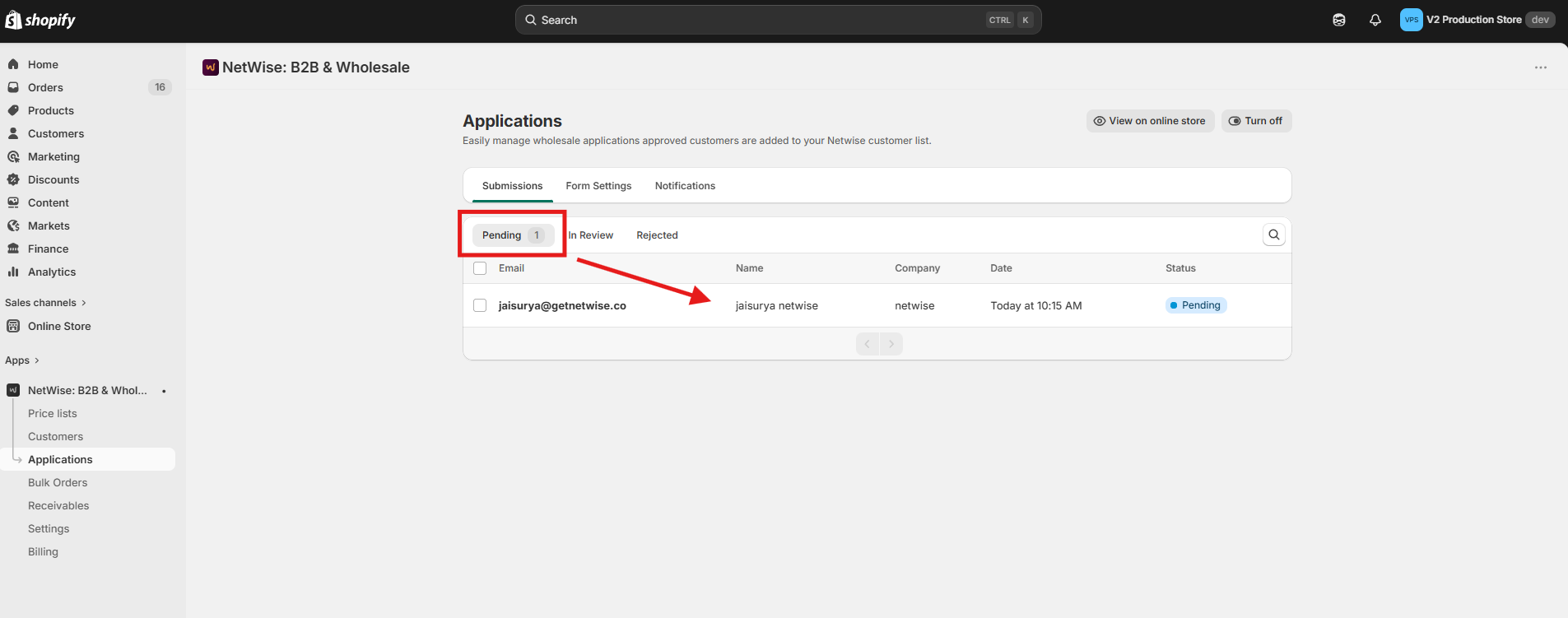
Merchant opens and reviews the application details.
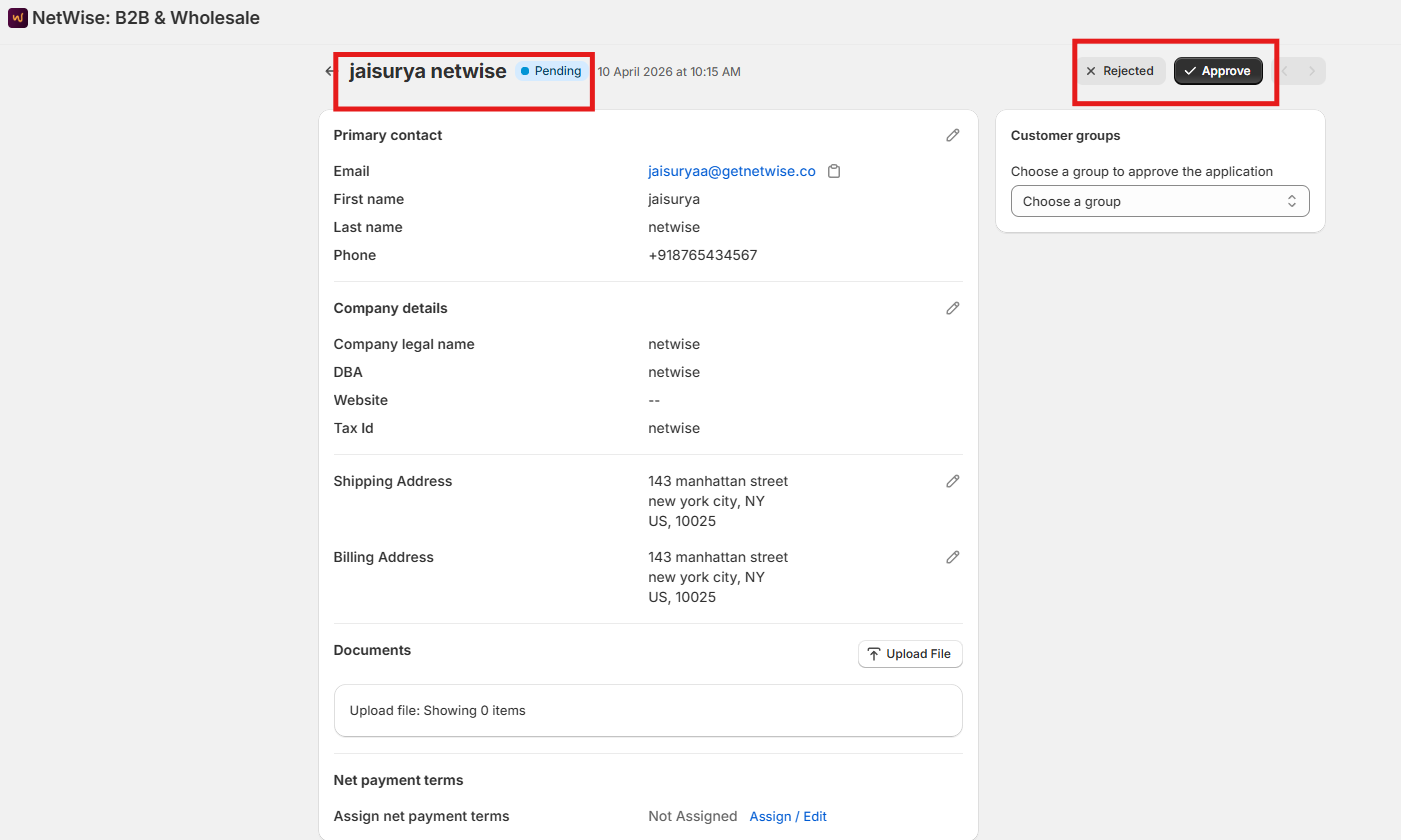
Merchant approves or rejects the application.
✅ Approved → Customer is created in Netwise and assigned to a Customer Group.
❌ Rejected → Application is declined. Customer is not added.
Key points:
Every submission starts as Pending — nothing is automatic.
No customer gets B2B access without explicit merchant approval.
The assigned Customer Group controls what pricing the customer sees.