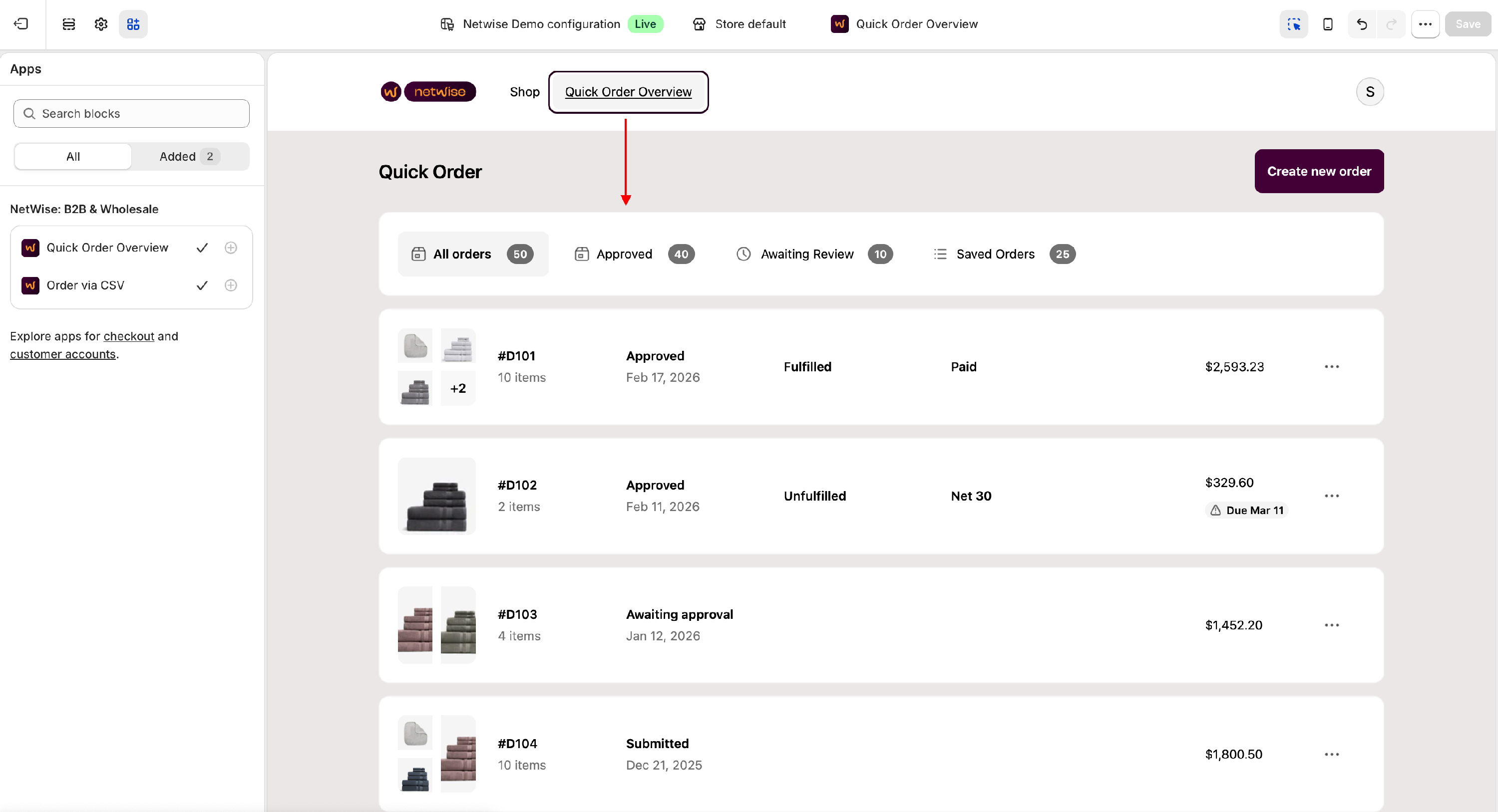

Quick Order - NetWise Help Center
Quick Order
Let’s walk through how to enable Quick order on customer account, so your customers can access the bulk ordering experience directly from their account.
Note: This feature is supported only with shopify’s new customer accounts. Legacy customer accounts are not compatible. You can find instructions to enable it here.
Steps to enable the customer UI extension
Step 1:
Just click on Enable Extensions - it will take you directly to the relevant section where you can add customer extensions.
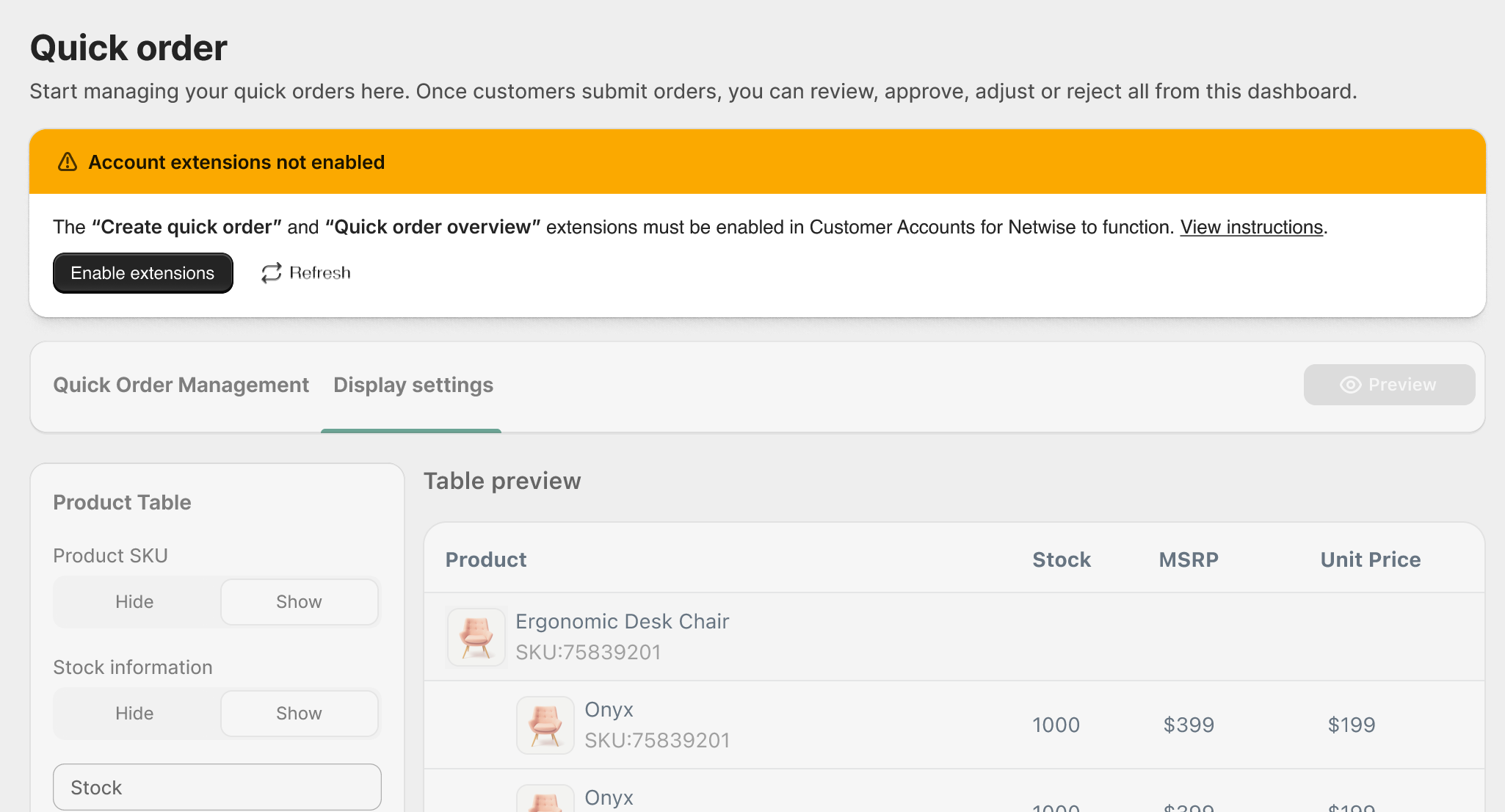
Or
Step 2:
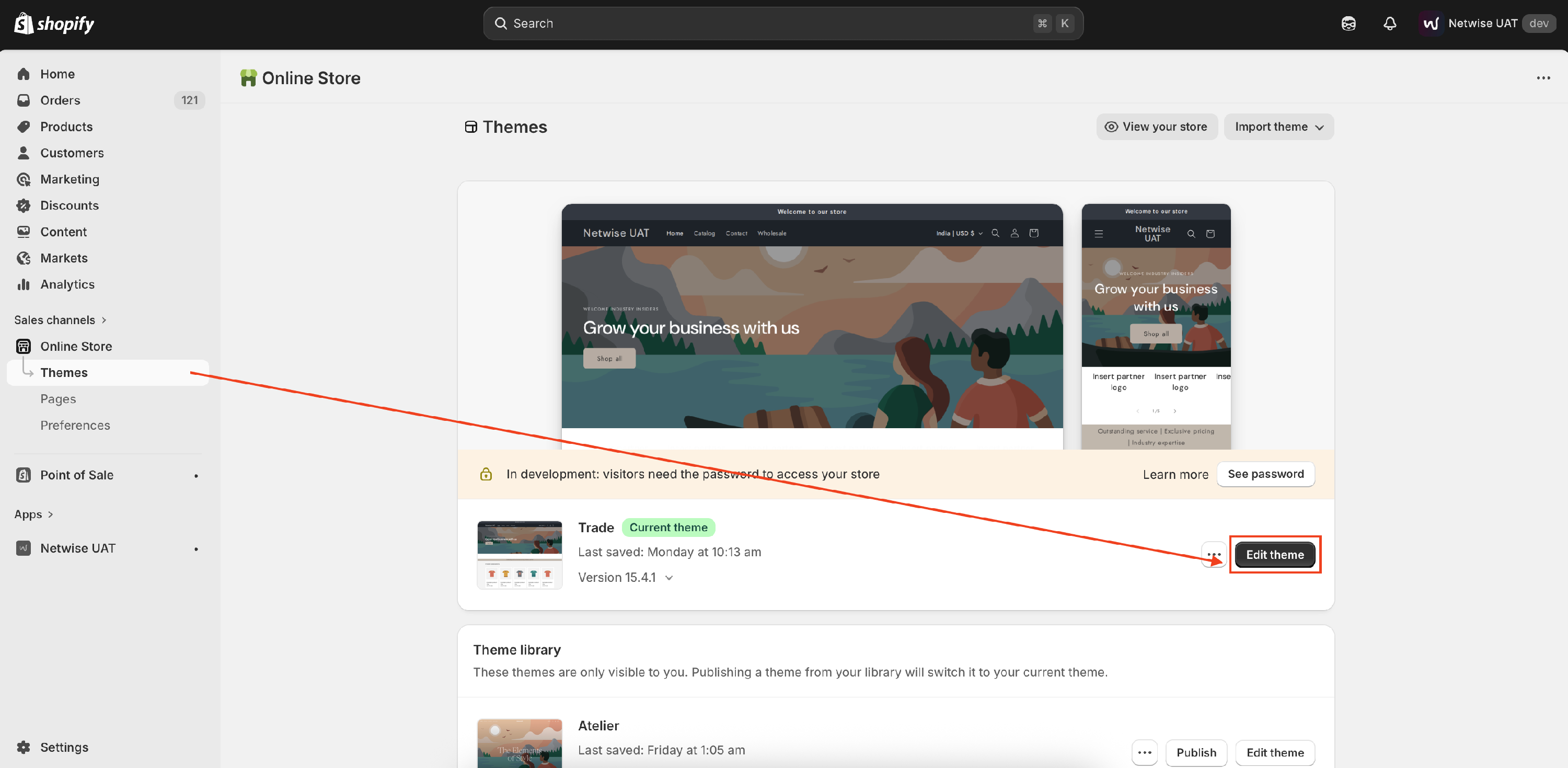
1. Open theme customiser
- Go to Online Store
- Click on Themes
- Click Customise on your live theme
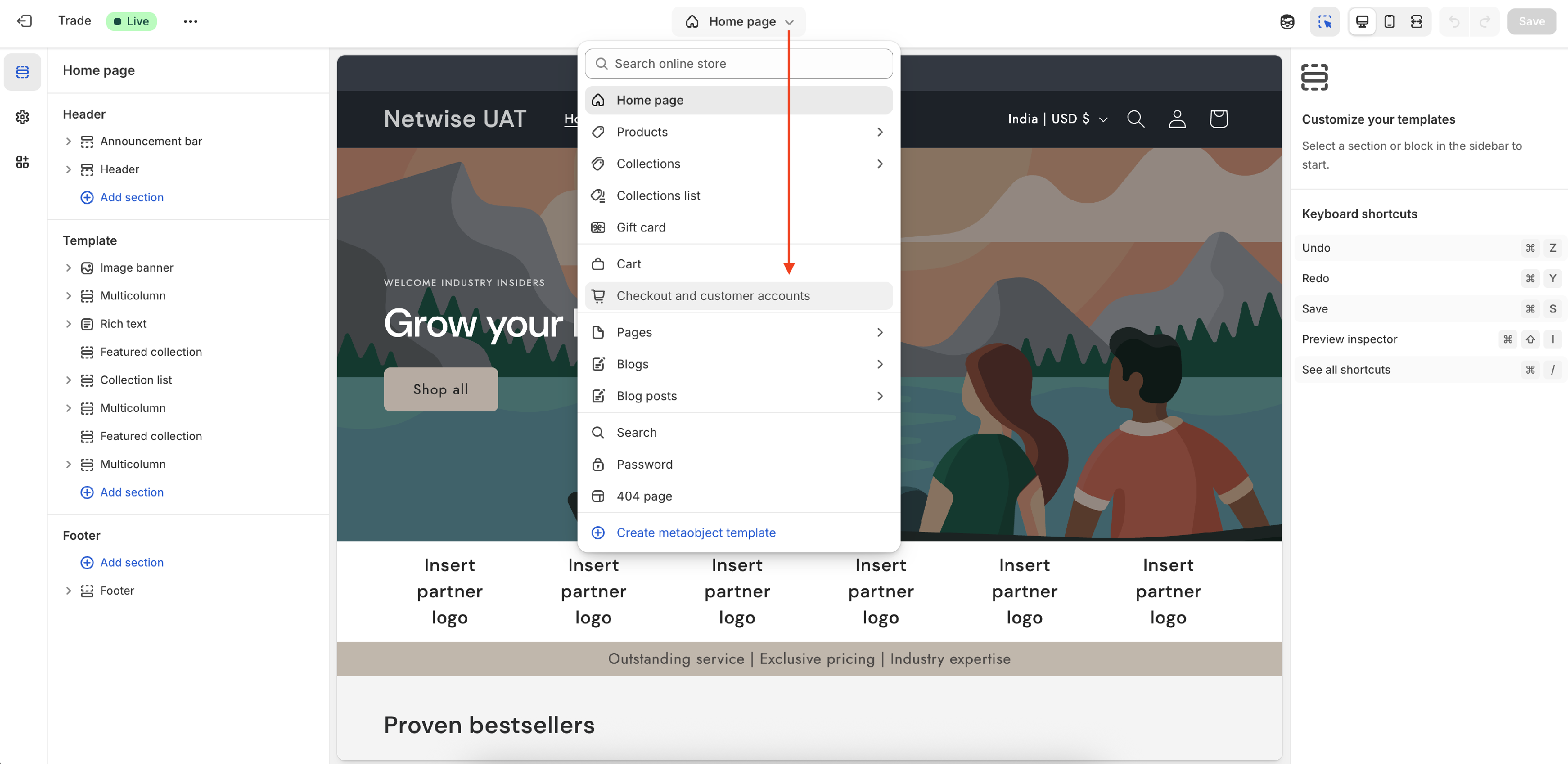
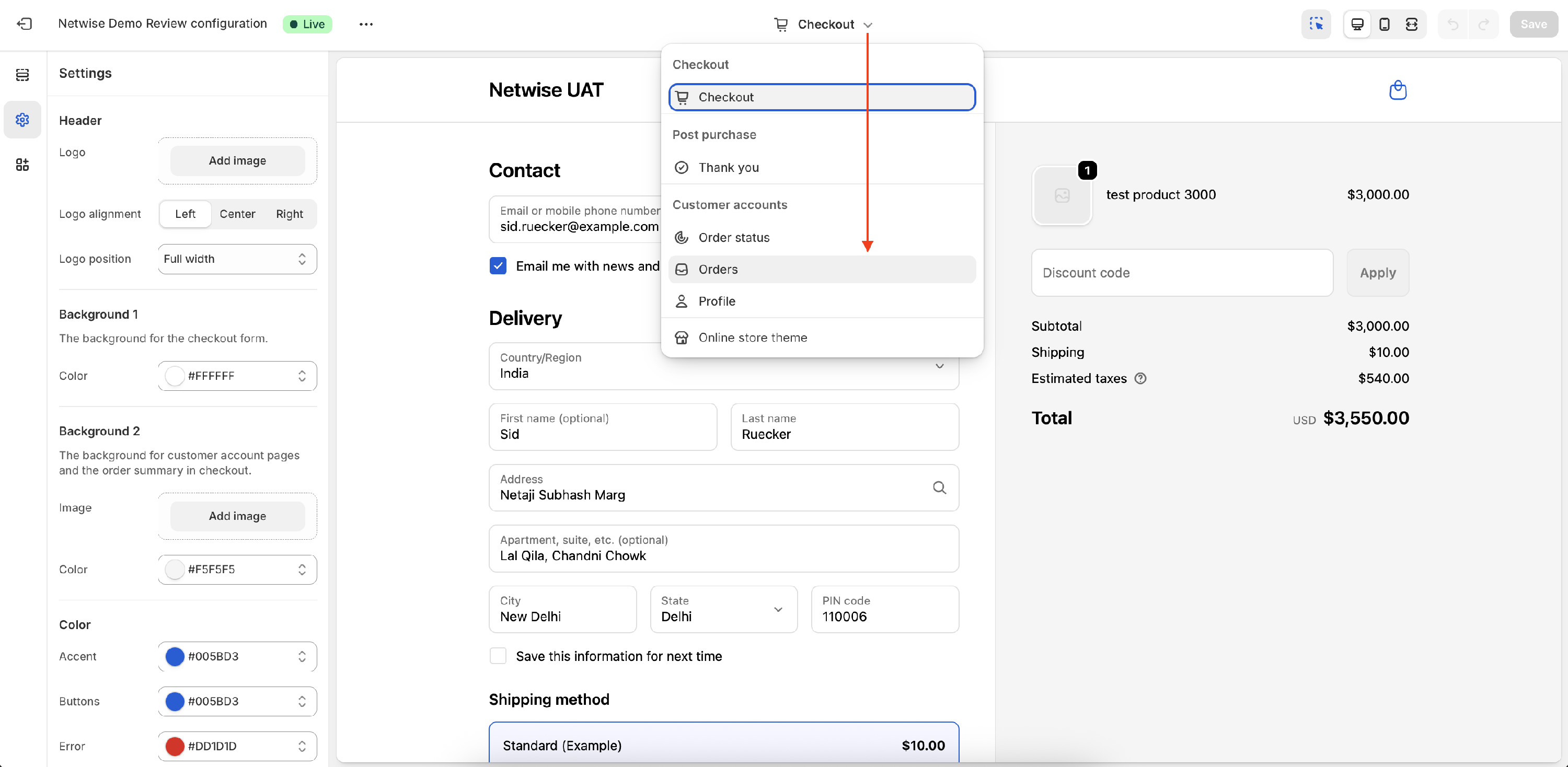
2. Navigate to customer Accounts
- At the top center dropdown, select Checkout and Customer Accounts
- From the same dropdown, choose Customer Account
- Then select Orders
3. Add the App Extension
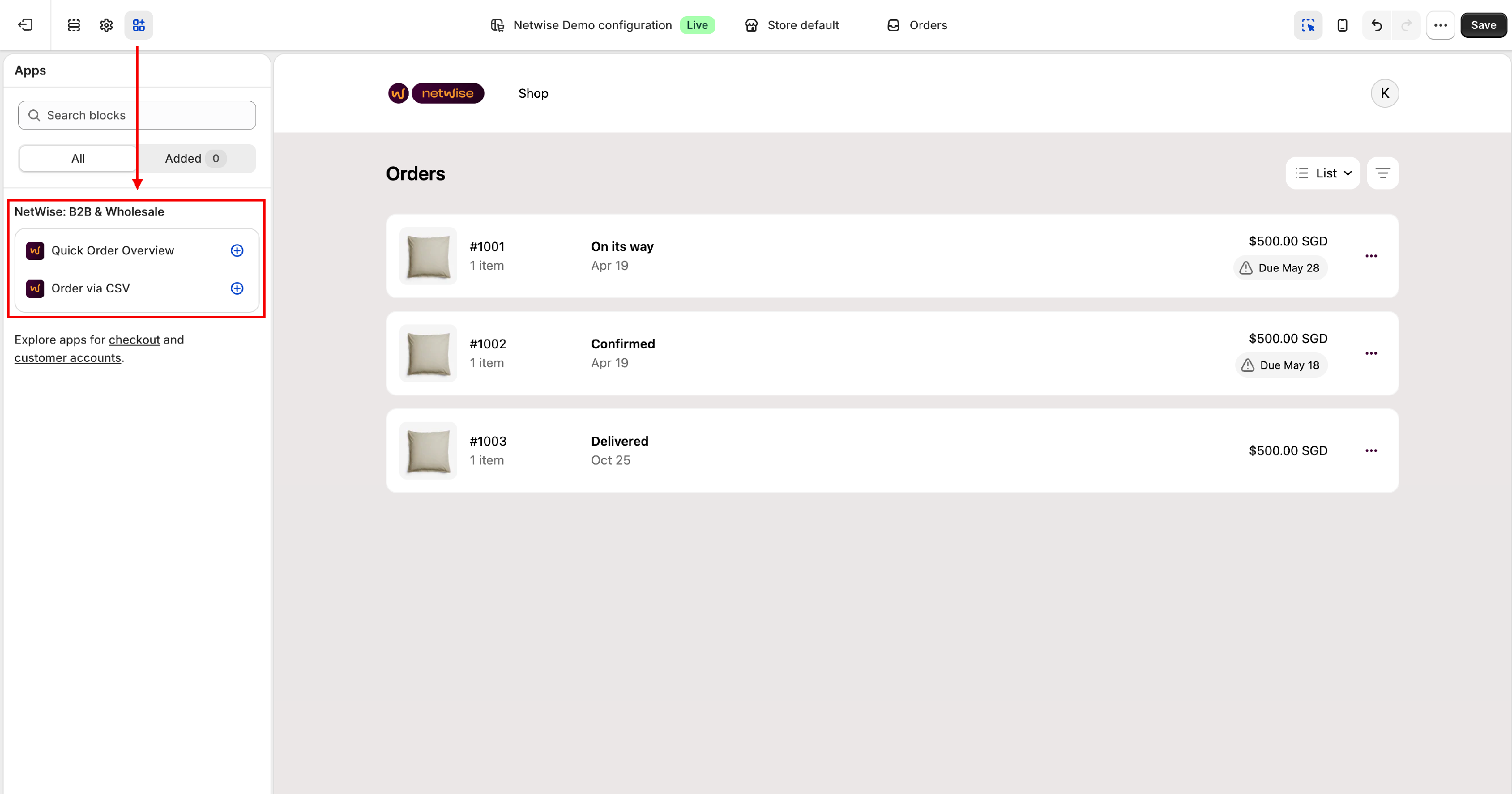
- In the left-side navigation panel, click Apps
- Locate our Customer Account UI Extension
- Click Add to enable it
- Save the changes
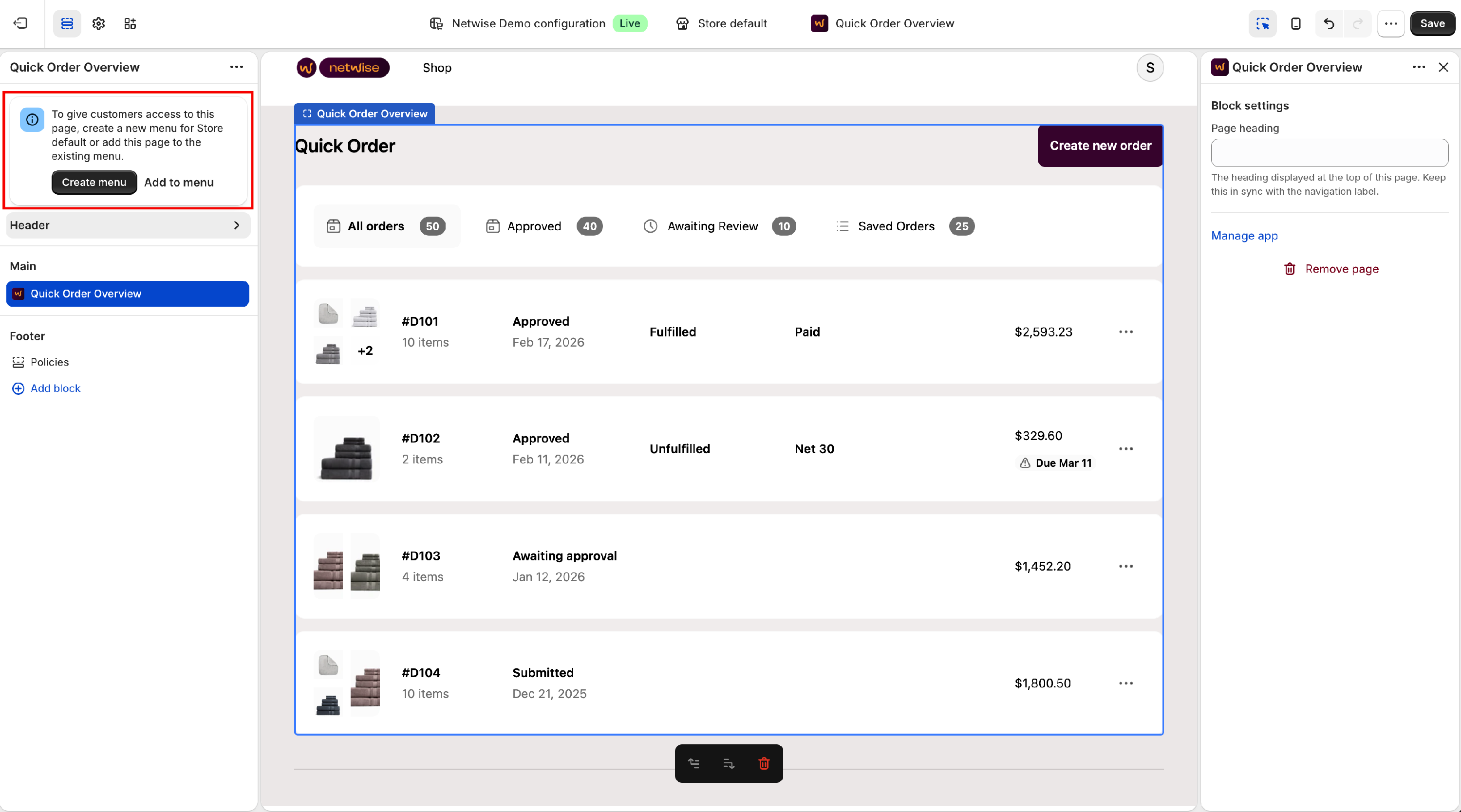
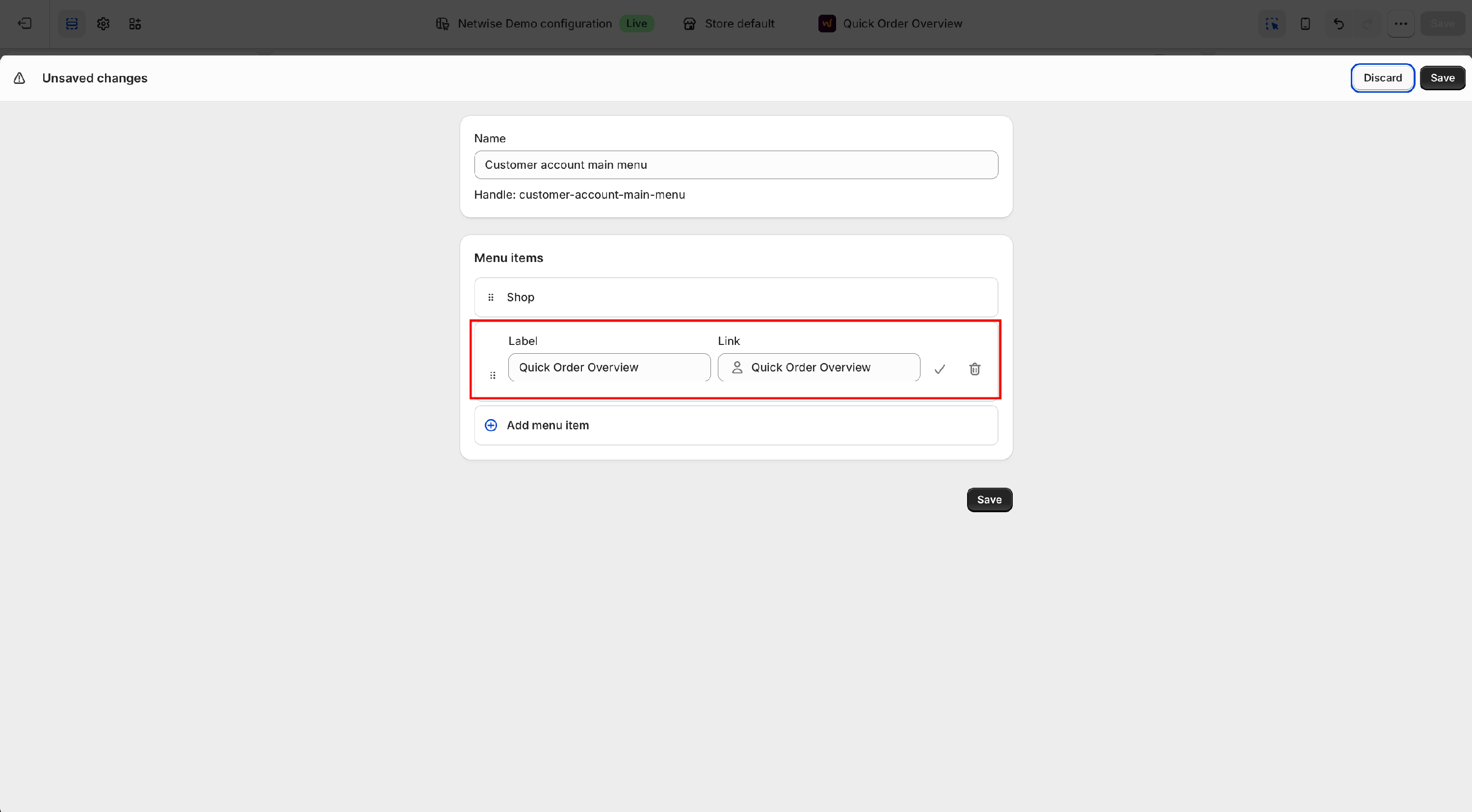
Once completed, the new Bulk Order experience will be active inside the customer account section.