

How to enable volume discount display settings on the product page? - NetWise Help Center
How to enable volume discount display settings on the product page?
Enabling volume discount table on the product page
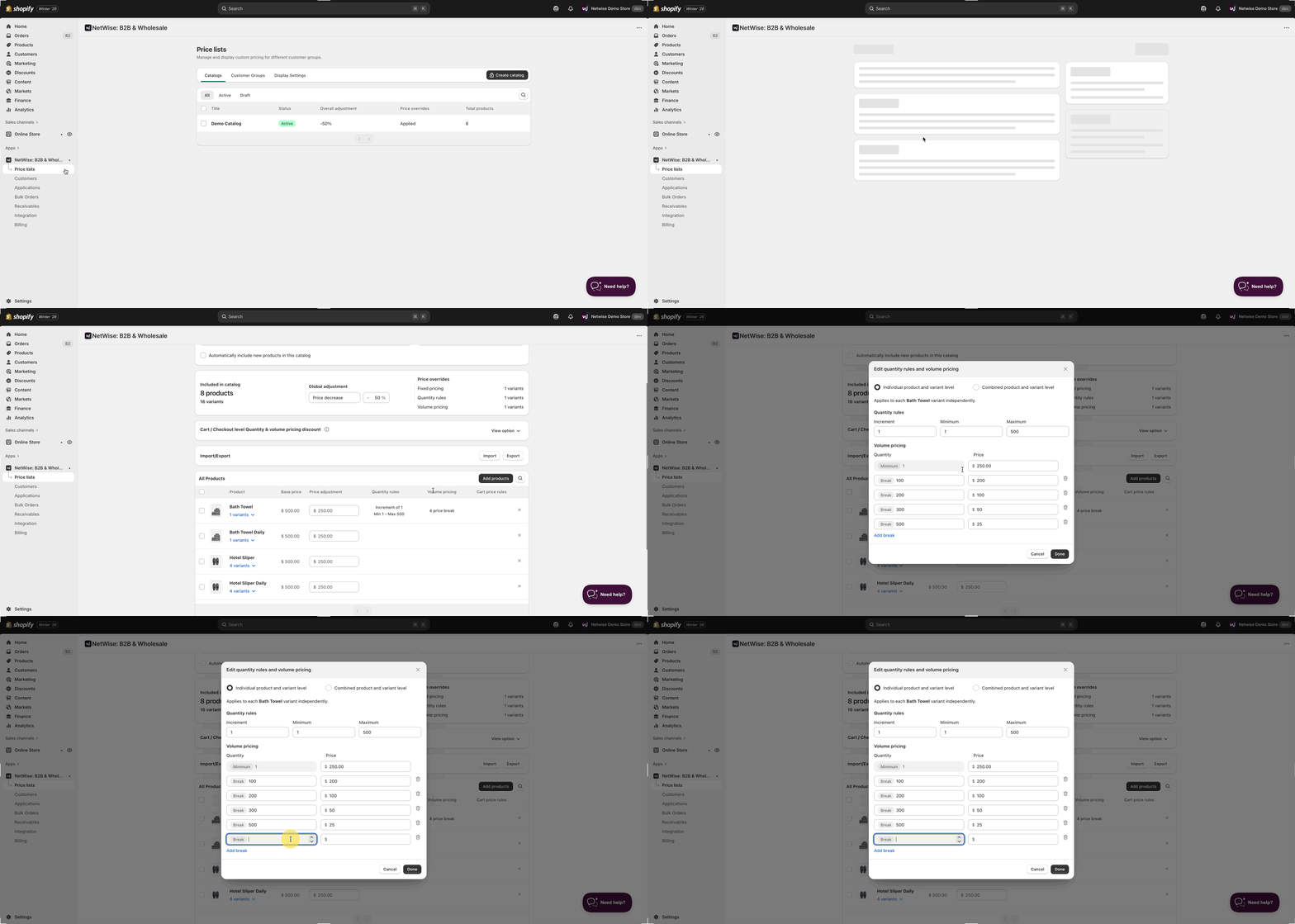
- Before enabling the app block on the product page, ensure that volume pricing is configured for each product and its variants in pricing catalog.
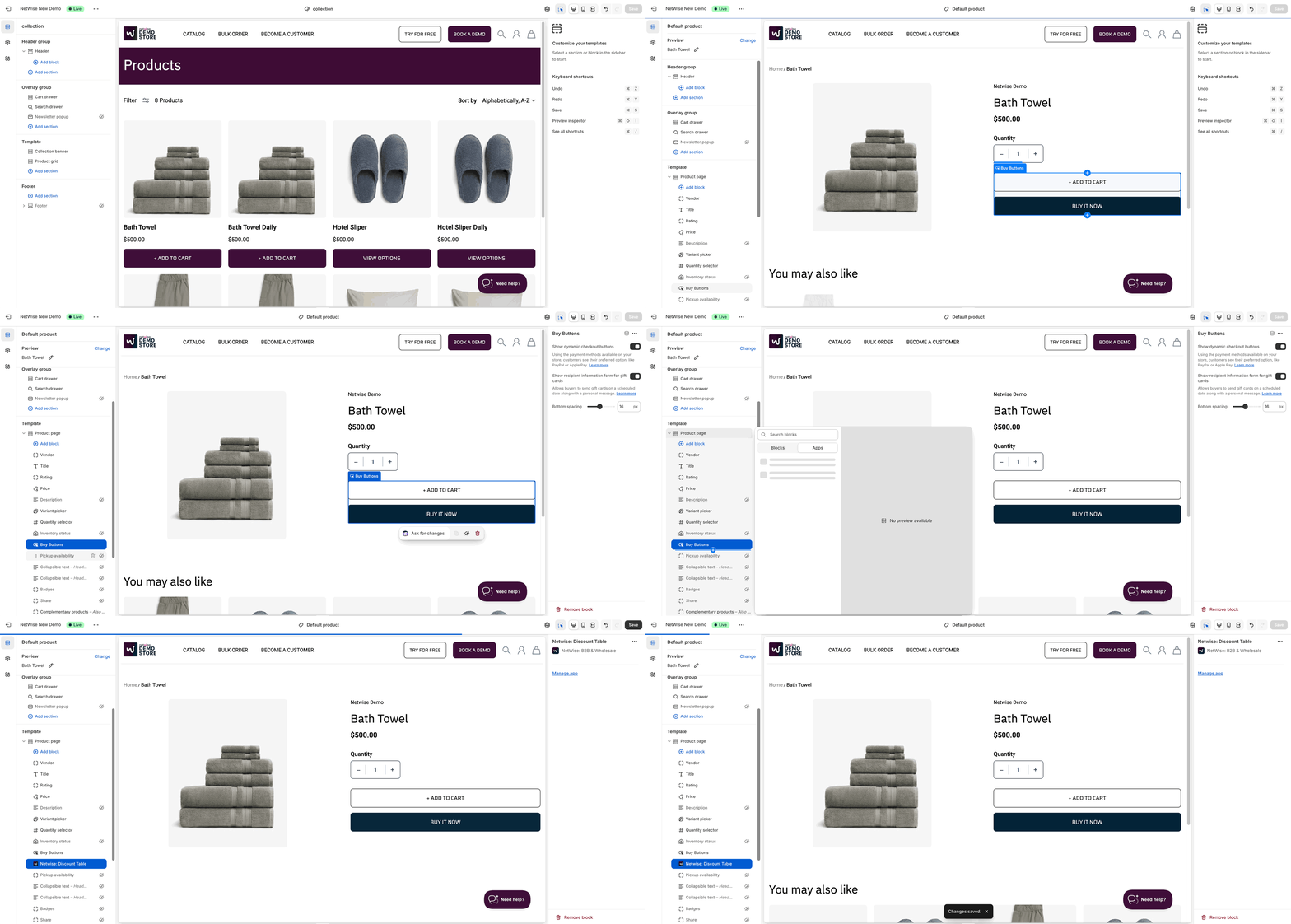
- Open the Theme Editor, select a product, navigate to the product page, and go to left side template block choose where you want to add the Discount Table app block.
- Hover over the desired section in the template, click the ➕ (plus) icon, select App block, and then choose our app NetWise.
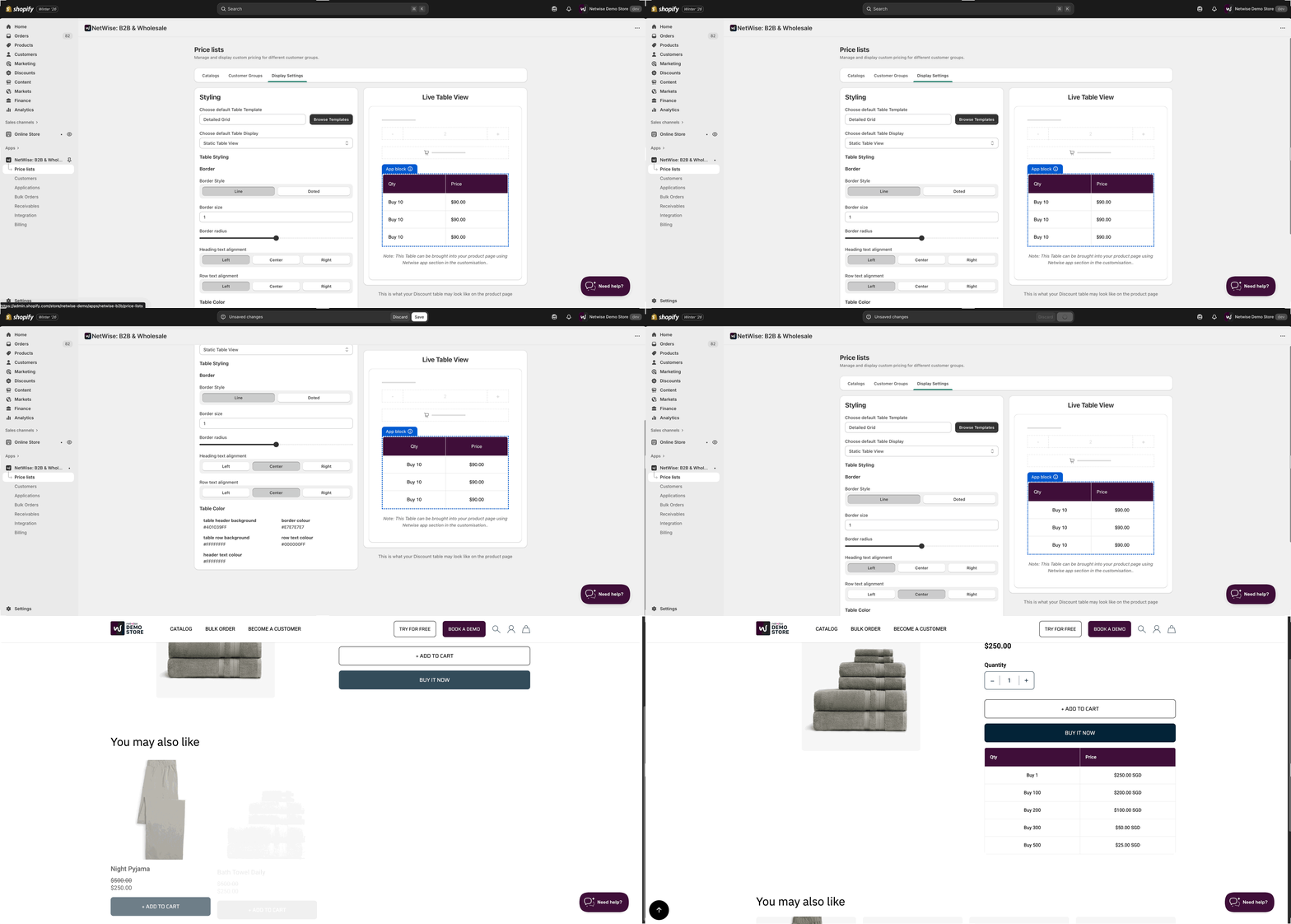
- Also you can apply branding on the discount table.
Note: If Volume discount is not set in catalog level then discount table will not appear. For now we are only supporting "Static table" option in the selection.