
Enabling new customer accounts - NetWise Help Center
Enabling new customer accounts
The new Customer Accounts experience removes the need for passwords, reducing login friction and enhancing the overall customer experience. Instead of using passwords, customers receive a unique verification code for each login, making access faster and more secure.
To use the Bulk Order feature in our app, enabling the new Customer Accounts experience is a mandatory step.
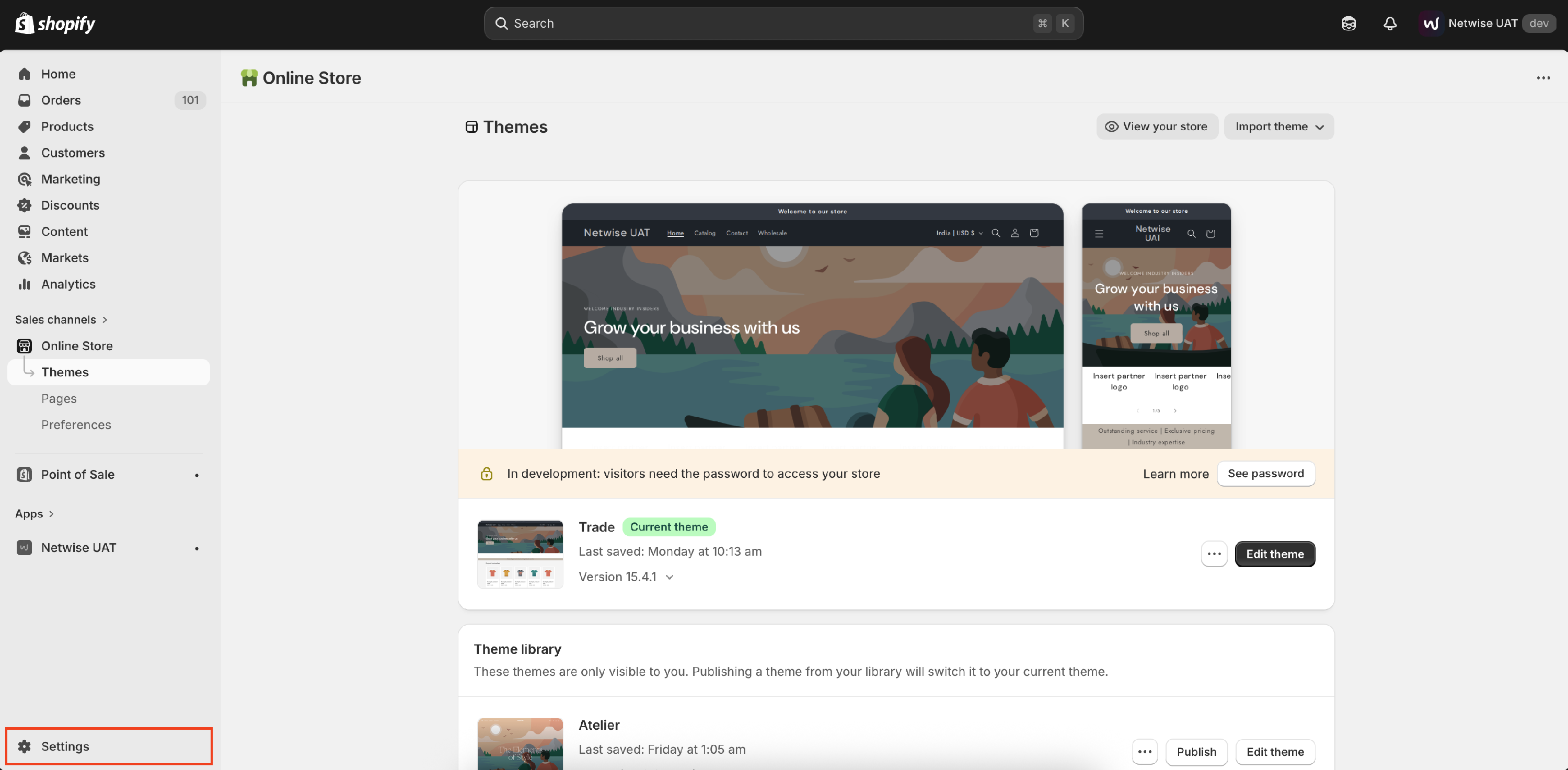
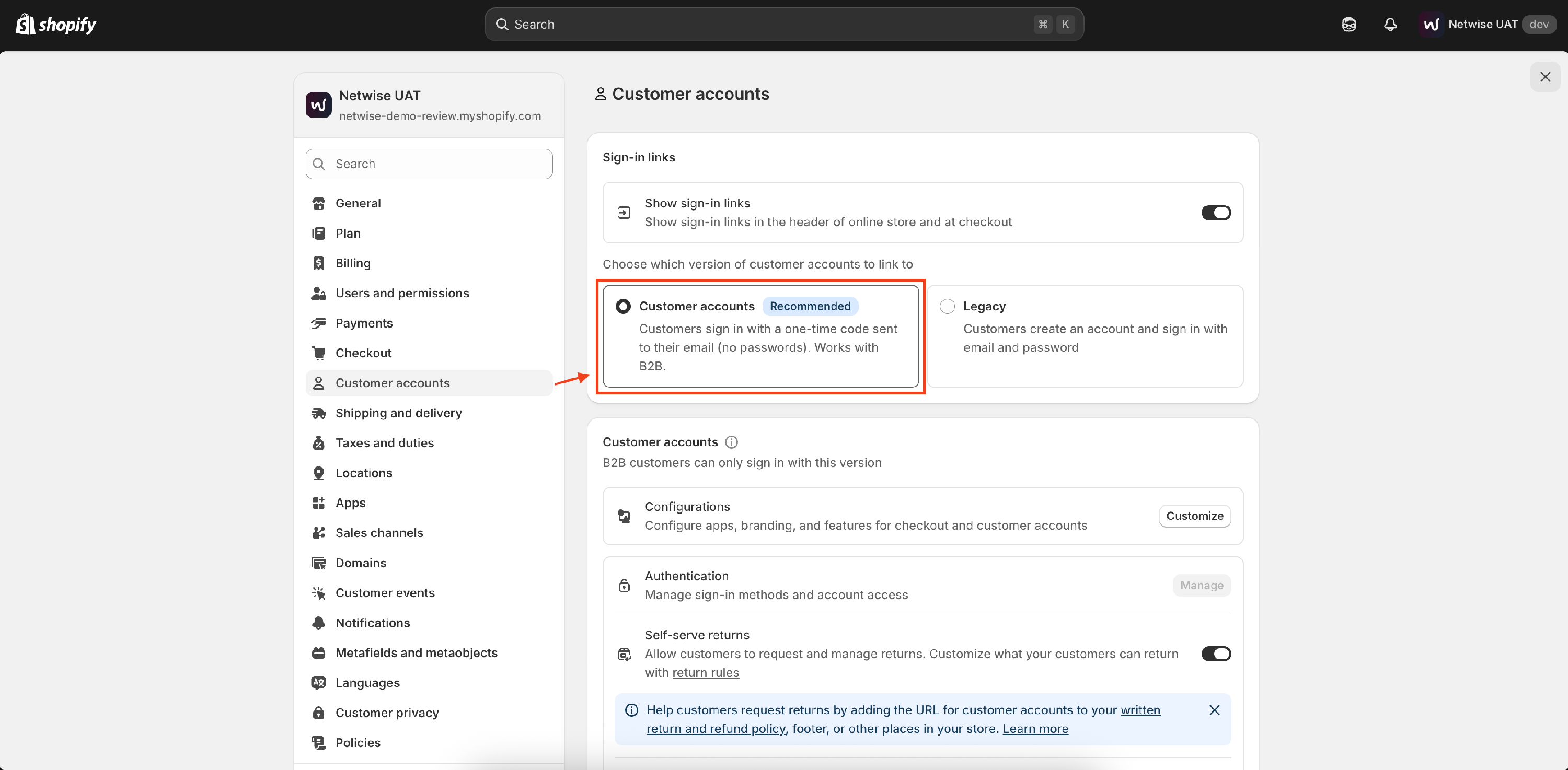
- On your Shopify homepage, click on Settings > Customers accounts
- Under Sing-in links, Select the Customer account (Recommended)
- Select and Save